
Microsoft Power BI Community Forum


As you can see, the 150th solution has been earned by only 71 people as of this posting. Consider that over 60,000 people have replied on this forum at least once. The 150th Solution is the highest badge available for solutions. I am over 260 accepted solutions. Most recently I have been awarded the Super User 2020 – Season 1 badge at the highest level, which out of 56 Super Users, only 9 earned the Level IV designation.
————————————————
As I said in the introduction, this problem-solving ranges from elucidating what the poster’s issue is, to creating a solution, to researching how the tools are interacting. It is very satisfying to have my solution help someone solve their problem and complete their project. One of the reoccurring themes that became apparent was that people don’t always know what they want until they see it. Please see below for a few examples.
These examples are really just for scanning and perhaps seeing the level of complexity that I am working at. Almost every issue that I have answered has been unique. They have involved knowing data formation, Power Query, the M language, Dax and Power BI visualizations and others.
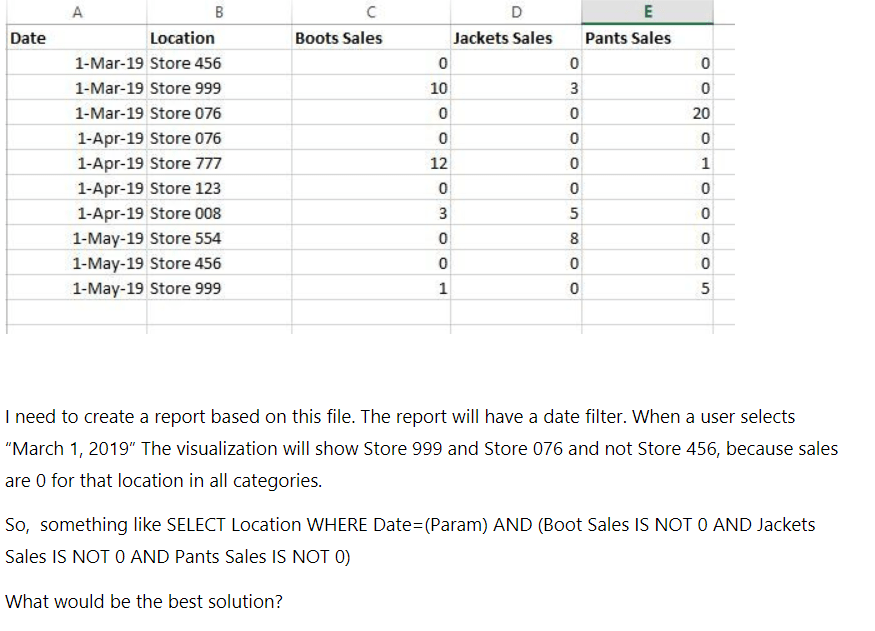
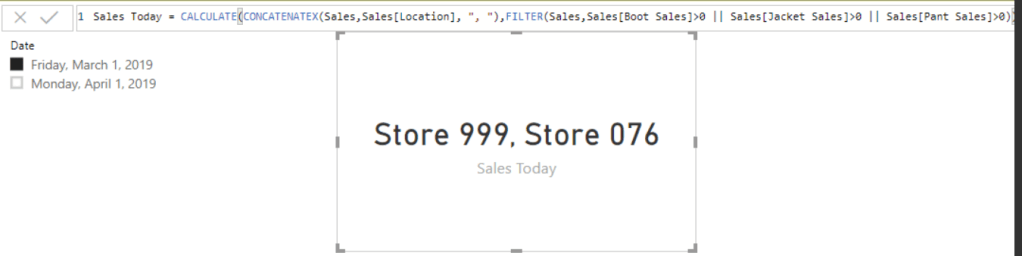
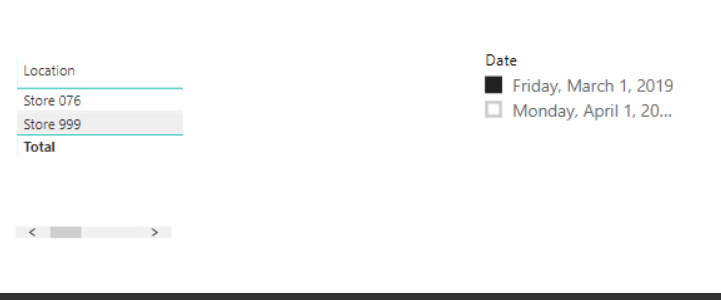
This went through various iterations including measures for cards, tables and maps.

*****************************************************************************
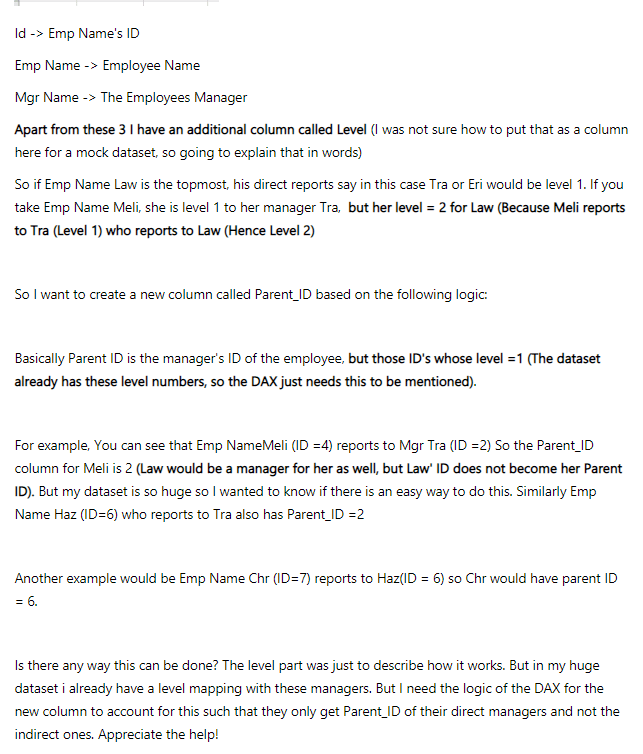
Another interesting issue that morphed into a longer project especially when it turned out that there were employees with the same name, and no unique identifier.
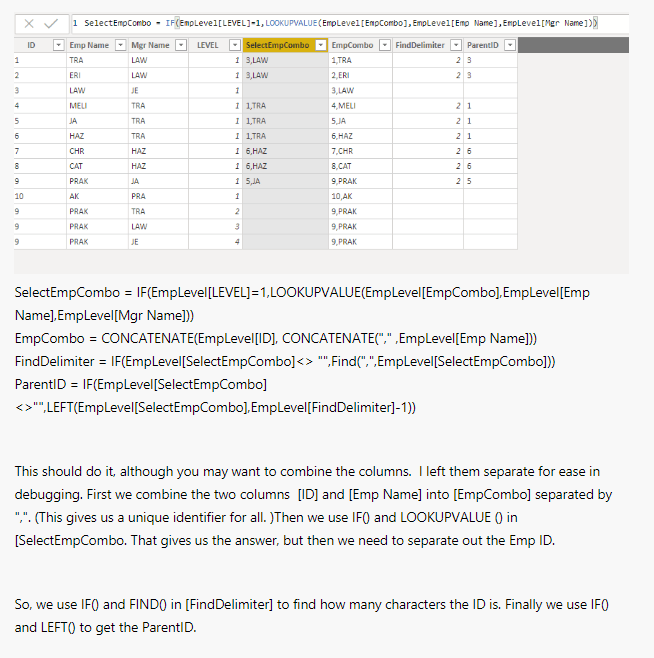
This solved it!
*****************************************************************************
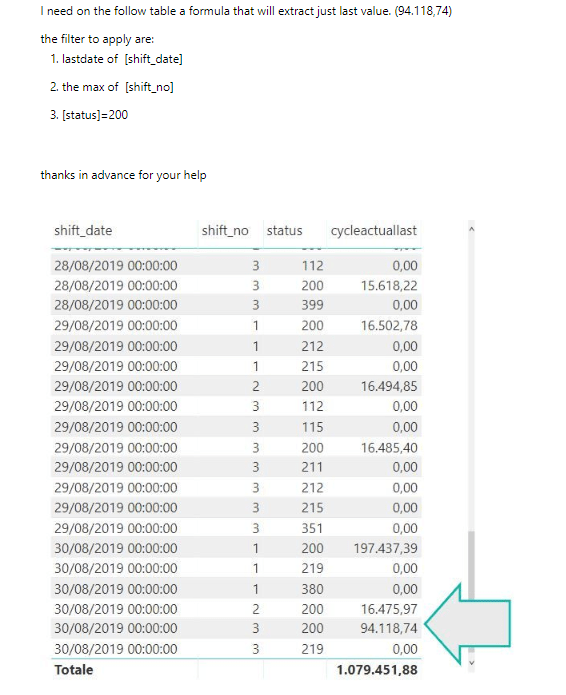
One of the cool things is that people are logging in from all over the world. This poster is from Italy and dealing with machine cycles. Sometimes there is a language issue, but data is the same everywhere!
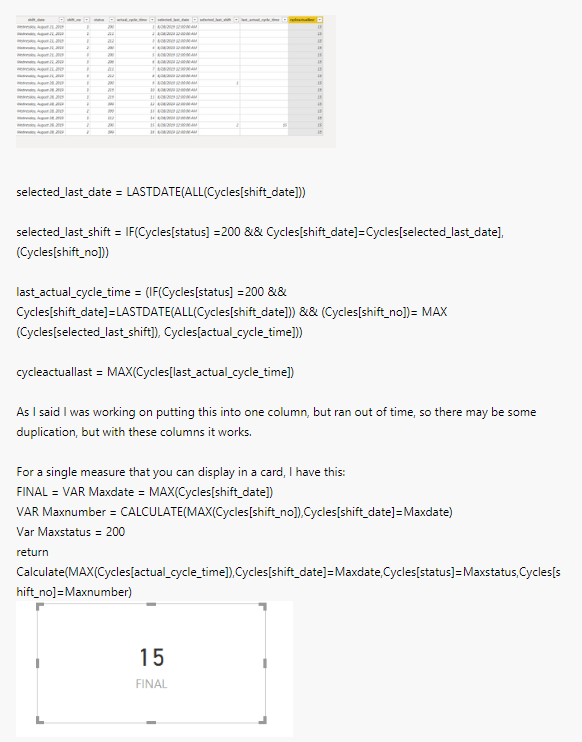
The solution both as a calculated column and a measure.
*****************************************************************************
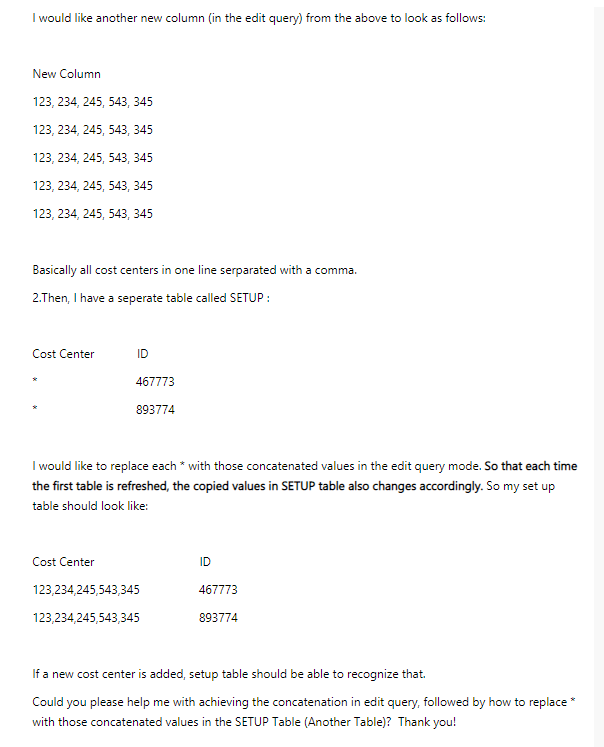
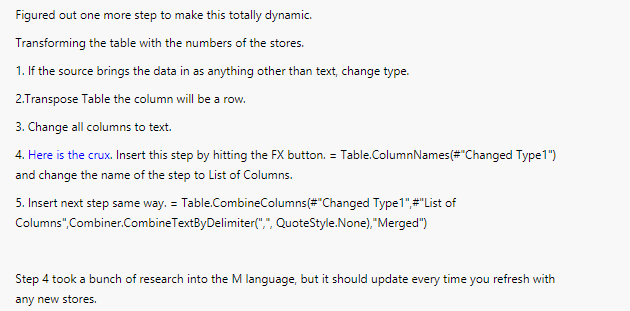
I was able to do this in Power Query, but ended up doing research into the M Language in order to fully automate this. See below.
 Nathaniel Cohen